AI voice cloning that runs on your computer Speak it yourself. Sound like someone else.
Primal Voice Studio is an AI voice cloning app for Windows (Mac coming soon). Clone a voice in 10 seconds. You speak, it sounds like them, with your timing and emotion. 100% local: no cloud, no uploads, no subscription.
Works with audio and video files – drop in a clip, the audio is pulled out automatically.
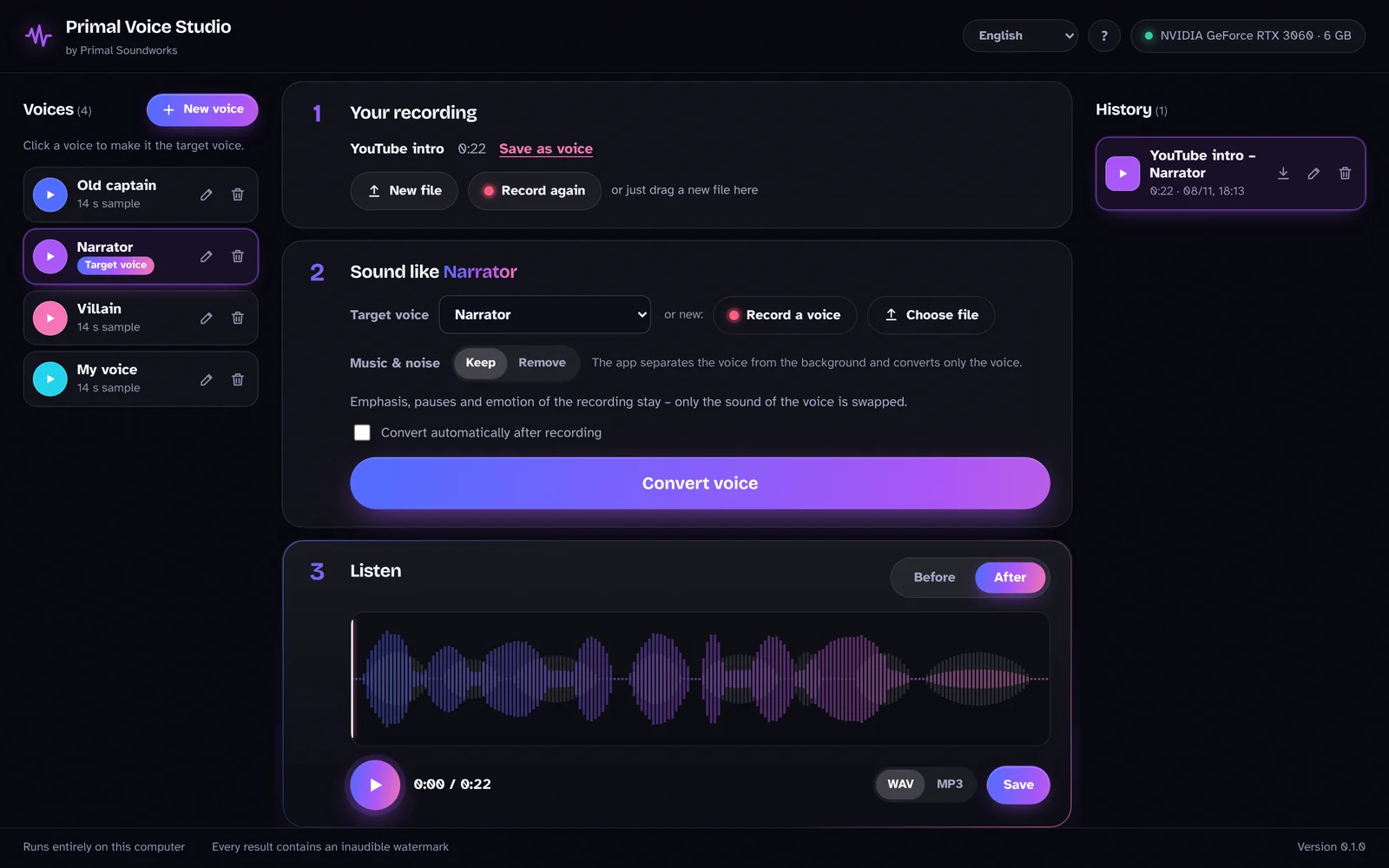
Press play, then switch. The recording keeps running, only the voice changes.
Why this voice cloning doesn’t sound like a robot
Most AI voices read text out loud and have to guess how a sentence should sound. Primal Voice Studio doesn’t guess. You already said it the right way.
Text-to-speech
Sounds read out.- You type a sentence.
- The AI guesses where the voice rises and falls.
- Emphasis lands in the wrong place.
Primal Voice Studio
Sounds performed.- You say the sentence the way you mean it.
- Only the sound of the voice is swapped.
- Pauses, emphasis and feeling stay yours.
Three steps, no setup
Download, double-click, done. No code, no terminal, no account.
- 1
Add a voice
A clean 10 to 25 second sample is enough. No training, no waiting.
- 2
Record or drop a file
Speak straight into the app, or drop in an audio or video file. The audio is pulled out automatically.
- 3
Transform and compare
Switch between before and after at the same moment, then save the result as WAV.
Made for people who make things
Show your content, not your voice.
Faceless creators
One speaker. A whole cast.
Audio drama and animation
Your character deserves its own voice.
VTubers
Someone else reads. It sounds like you.
Voice-over and audiobooks
Voice every character yourself.
Indie game developers
Pay once. Keep it.
One-time payment
- No subscription, no credits, no minute limits
- Runs offline on your own computer
- Works with audio and video files
- Use on up to 3 computers
- Personal support by email
Many AI voice tools charge about this much every month.
Primal Voice Studio is a one-time purchase. Use it as much as you like, for as long as you like, without counting minutes.
Your voice stays on your computer
Recordings, voice samples and results never leave your machine.
The AI models download once during setup. After that the app works without an internet connection.
Every result carries an inaudible watermark, so audio made with AI stays recognizable as such.
What your computer needs
- Windows
- NVIDIA graphics card with 6 GB or more (RTX 2060 or newer) recommended
- Mac
- Coming soon (Apple Silicon, M1 or newer)
- Storage
- 10 GB free space
- No graphics card
- Works, but converting takes much longer
Questions
Is this text-to-speech?
No. You don’t type anything. You speak, and the app changes only the sound of the voice. That’s why emphasis and emotion come out right.
Do I need technical skills?
No. You download the app, double-click it, and it sets itself up. There is no code and no terminal involved.
Which voices can I use?
Your own voice, characters you invent, and voices of people who agreed to it. Pretending to be someone else without their consent is against our terms and, in many countries, against the law.
Can someone else speak and it sounds like me?
Yes. Use a clean sample of your own voice as the target. Then a friend or narrator can read your voice-overs, stories or audiobook chapters, and the result sounds like you.
Which languages does it work with?
Any language. The app converts sound, not text, so it doesn’t need to understand what you say.
Is it open source?
Primal Voice Studio is built on open-source voice technology and licensed under GPL-3.0. Buyers receive the full source code.
When can I get it?
Right away. After checkout you get your license key and download by email.
Is this a voice changer or voice cloning?
Both. It clones a voice from a 10 to 25 second sample, then changes your recording so it sounds like that voice. Your words, timing and emotion stay the same.
Why does Windows show a notice when I first start it?
Primal Voice Studio comes from a small independent studio. Windows shows a short notice (“Windows protected your PC”) for new programs that don’t have many downloads yet. Click “More info”, then “Run anyway”. You only see it once, and your recordings never leave your computer.
Does it work on Mac?
Not yet. The Mac version is coming soon. Right now Primal Voice Studio runs on Windows 10 and 11.